Printing issues with Possy
Possy prints cards for physical task boards on POS printers, straight from issue trackers like Atlassian Jira, instead of writing them by hand.
Why Physical Boards Still Make Sense
Many software teams that work with agile methods such as Scrum or Kanban still use physical task boards. They make progress visible. At the same time, teams want to keep the status up to date in a digital issue tracker such as Jira or GitLab. That often means doing the work twice: once on the board and once in the system.
Of course, you could switch to digital boards entirely and manage everything there. But physical boards have advantages that many teams don't want to give up:
-
They are a common meeting point for the team
-
They encourage discussion, exchange and collaboration
-
Direct contact improves communication and engagement
-
Better communication can mean less wasted effort and faster results
So you want to keep the physical boards, just without writing all the notes by hand.
What is Possy?
Possy was built for exactly this: it complements physical Scrum or Kanban boards. It is a simple web interface that automates creating the printed cards typically used on such boards.
Normally you would log in to the ticketing system, look up the issue and then copy its text by hand onto a Post-it®, for example. That takes time. Possy automates all of it: you select the tasks you want to print in the web interface, and Possy does the rest.
The interface connects to the issue tracker (e.g. GitHub or Atlassian Jira) and prints the selected issues on connected POS printers. Why POS printers? Simple: they print on thermal paper, which is inexpensive and often even cheaper than regular sticky notes.
The idea for Possy came from my colleague Boris and me (Gerald). We built the first prototype a while ago and have been adding features and improvements ever since. There are plenty of ideas left for extending it – have a look at the current state of the project on GitHub.
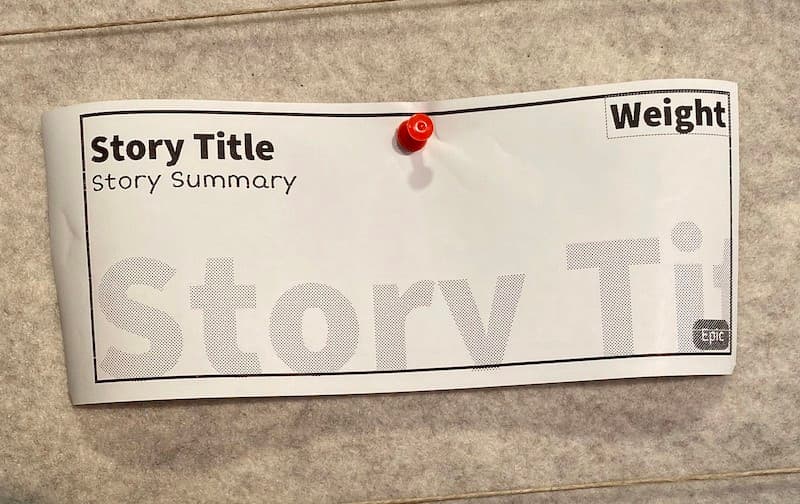
The image below shows a user story printed with Possy. As you can see, the print quality is very good for a POS printer.
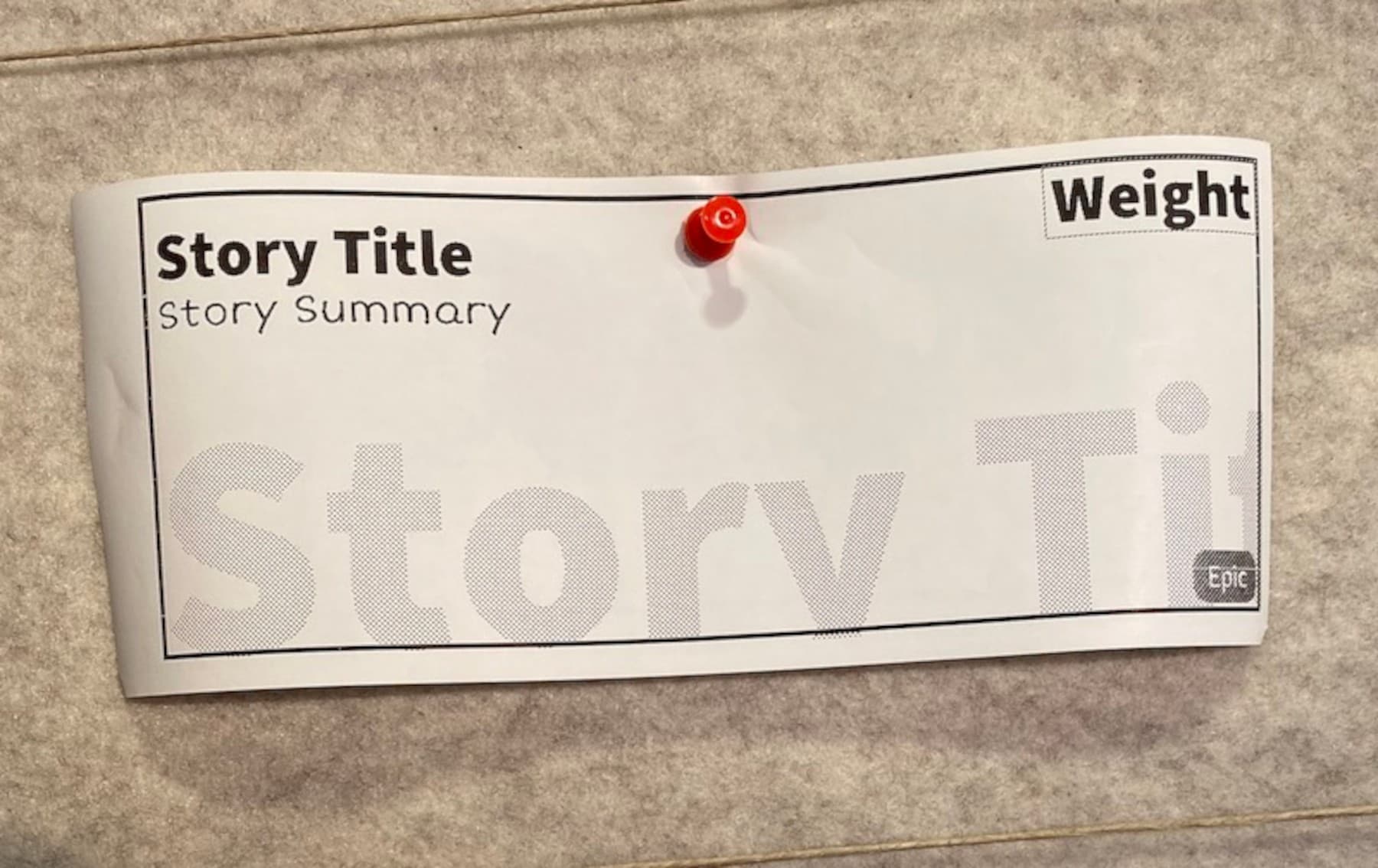
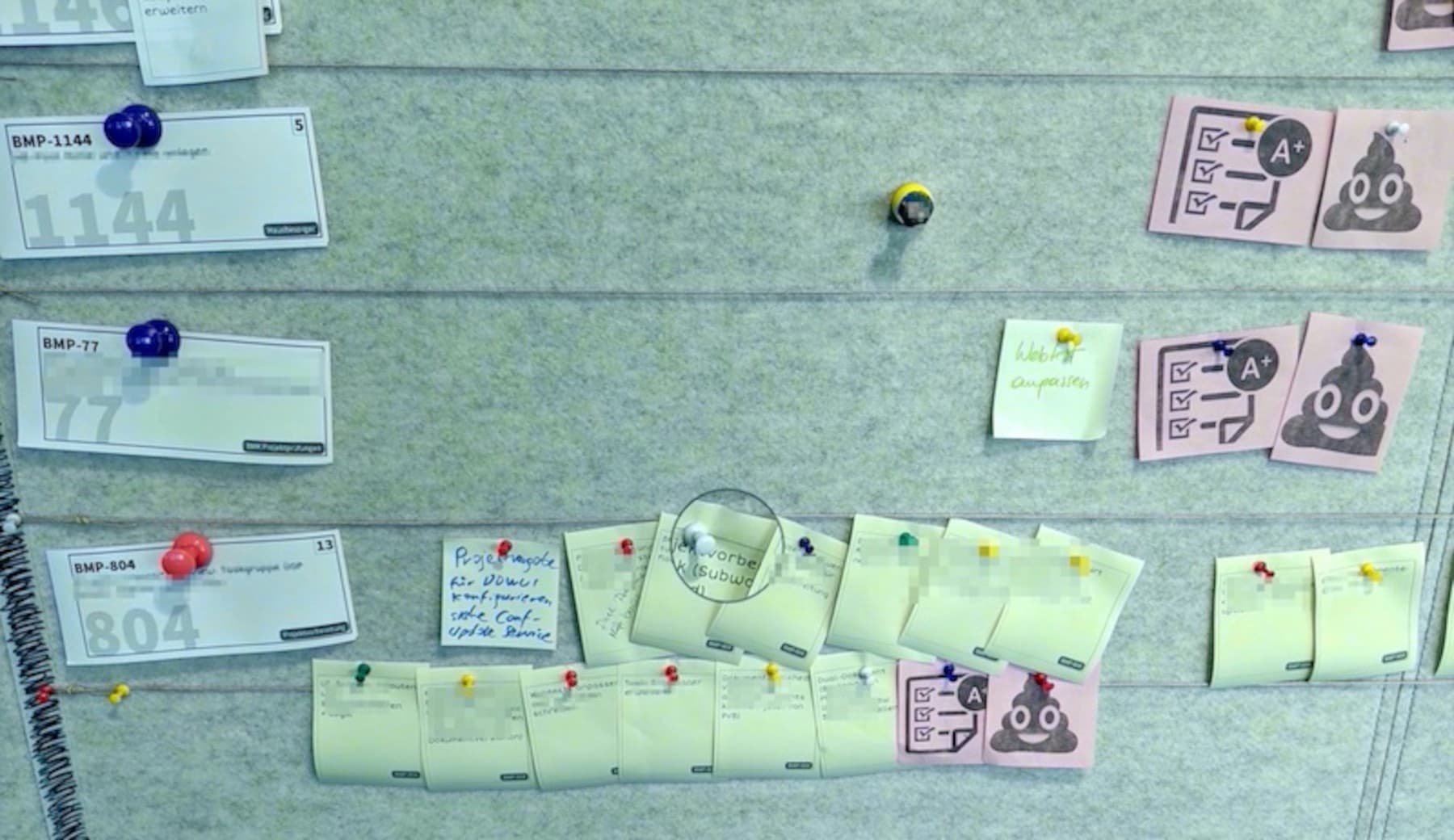
Example of an agile board printed with Possy.
How Possy is Structured
Possy consists of two main modules: the Possy Service and the Possy Daemon.
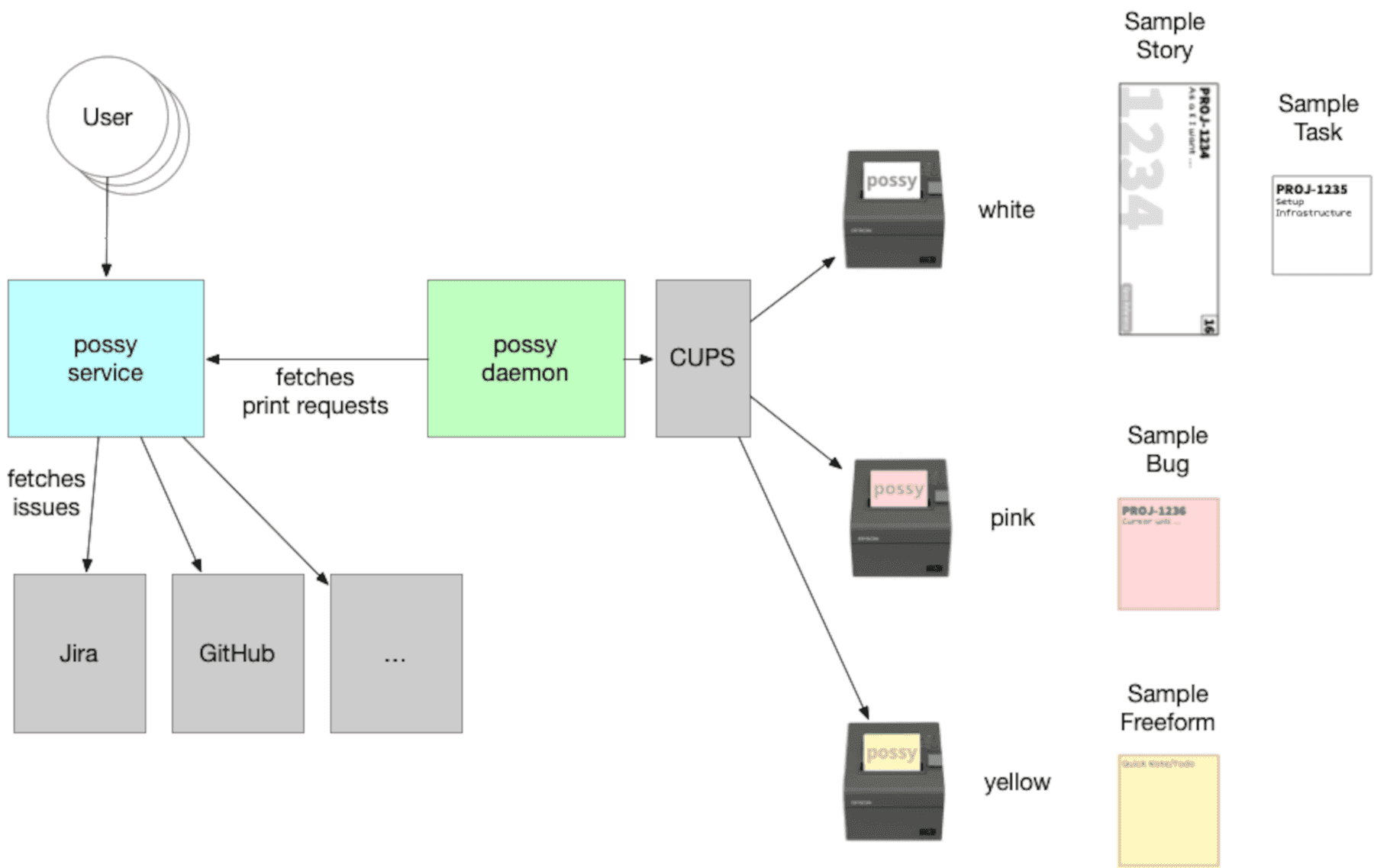
Possy Service
This is the web interface (built with Vaadin) that users work with. The service talks to the issue tracker and creates print jobs, which it then passes on.
Possy Daemon
This part does the printing itself. It receives the print jobs and connects to one or more POS printers via CUPS. It can drive several printers at once – for example, to print in different colours.
The whole project is written in Kotlin, a modern language that runs on the JVM.
A typical architecture looks like this:
-
The service runs in a network from which the printers can't be reached directly.
-
The daemon runs where the printers are and “pulls” the print jobs from the service.
This lets you work across separate network zones – for example, when security or infrastructure requirements call for it.
Bonus Feature: The Planner
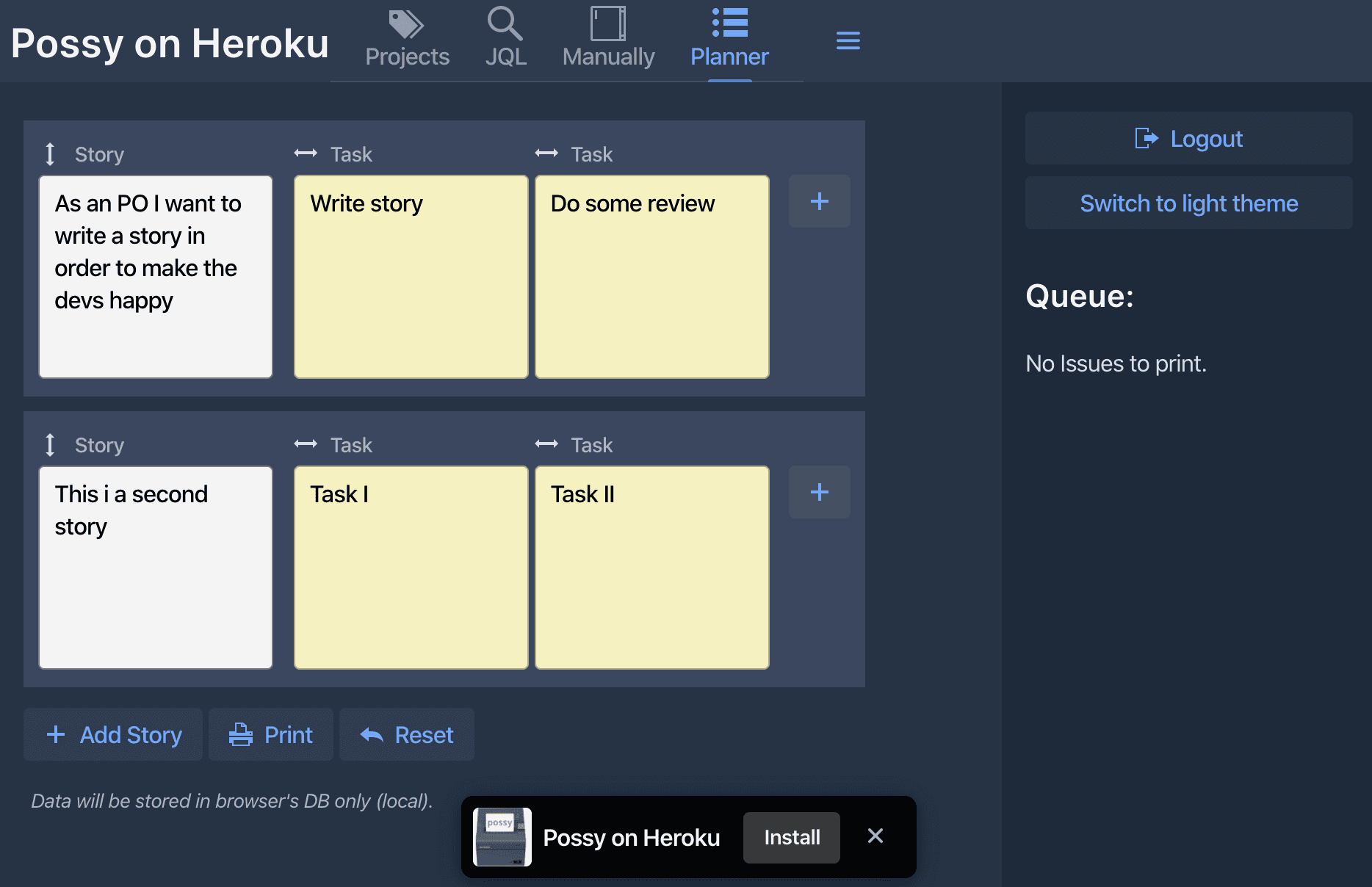
Possy also has a handy feature called Planner. Teams usually use it in planning meetings to define several subtasks of a story and print them right away. One click prints all tasks in the chosen order.
If you have questions or would like a particular feature, feel free to open an issue on GitHub – the team welcomes feedback.
Got a similar project in mind?
In a free initial call we look at your situation and tell you what's realistic and what the next step looks like.