Why Physical Boards Still Make Sense
In many software teams that work with agile methods such as Scrum or Kanban, physical task boards are still widespread. They help make progress visible. At the same time, teams want to maintain the status in digital issue trackers such as Jira or GitLab. This often means double the effort: both at the board and in the system.
Of course, one could completely rely on digital boards and manage everything there. But physical boards have advantages that many teams do not want to miss:
They are a common meeting point for the team
They promote discussion, exchange, and collaboration
Direct contact improves communication and engagement
Better communication can lead to greater efficiency and faster results
So: You want to keep the physical boards – but without the manual note writing.
What is Possy?
Possy was developed exactly for this purpose – it complements physical Scrum or Kanban boards. It is a simple web interface that automates the creation of print cards, as those typically used on such boards.
Normally, you would log into the ticketing system, search for the desired issue, and then manually write a text on, for example, a Post-it® – a time-consuming process. Possy automates all of that: You select the tasks you want to print in the web interface, and Possy takes care of the rest.
The interface connects to the issue tracking system (e.g., GitHub or Atlassian Jira) and prints the selected issues using connected POS printers. Why POS printers? Simply put: They print on thermal paper, which is inexpensive and often even cheaper than classic sticky notes.
The basic idea for Possy comes from my colleagues Boris and me (Gerald). The first prototype was created some time ago, and since then we have been continuously working on new features and improvements. Many ideas are still available for expanding functionality – feel free to check out the current status of the project on GitHub!
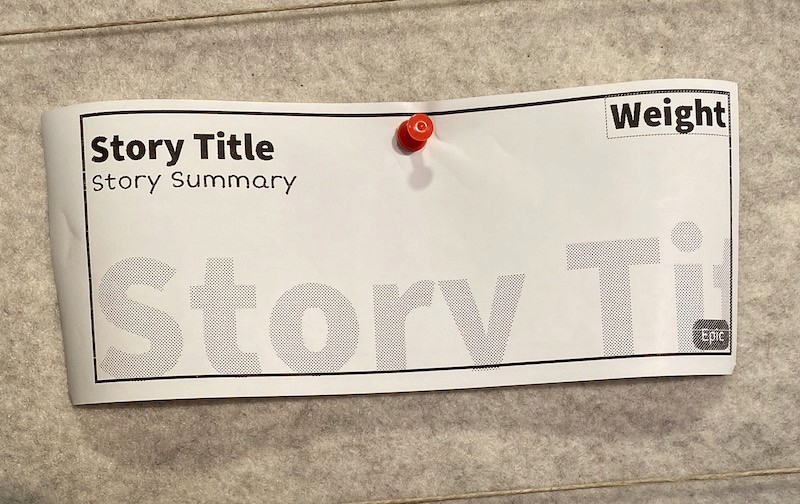
The following image shows a user story printed with Possy. As can be seen, the print quality for a document created with a POS printer is very good.
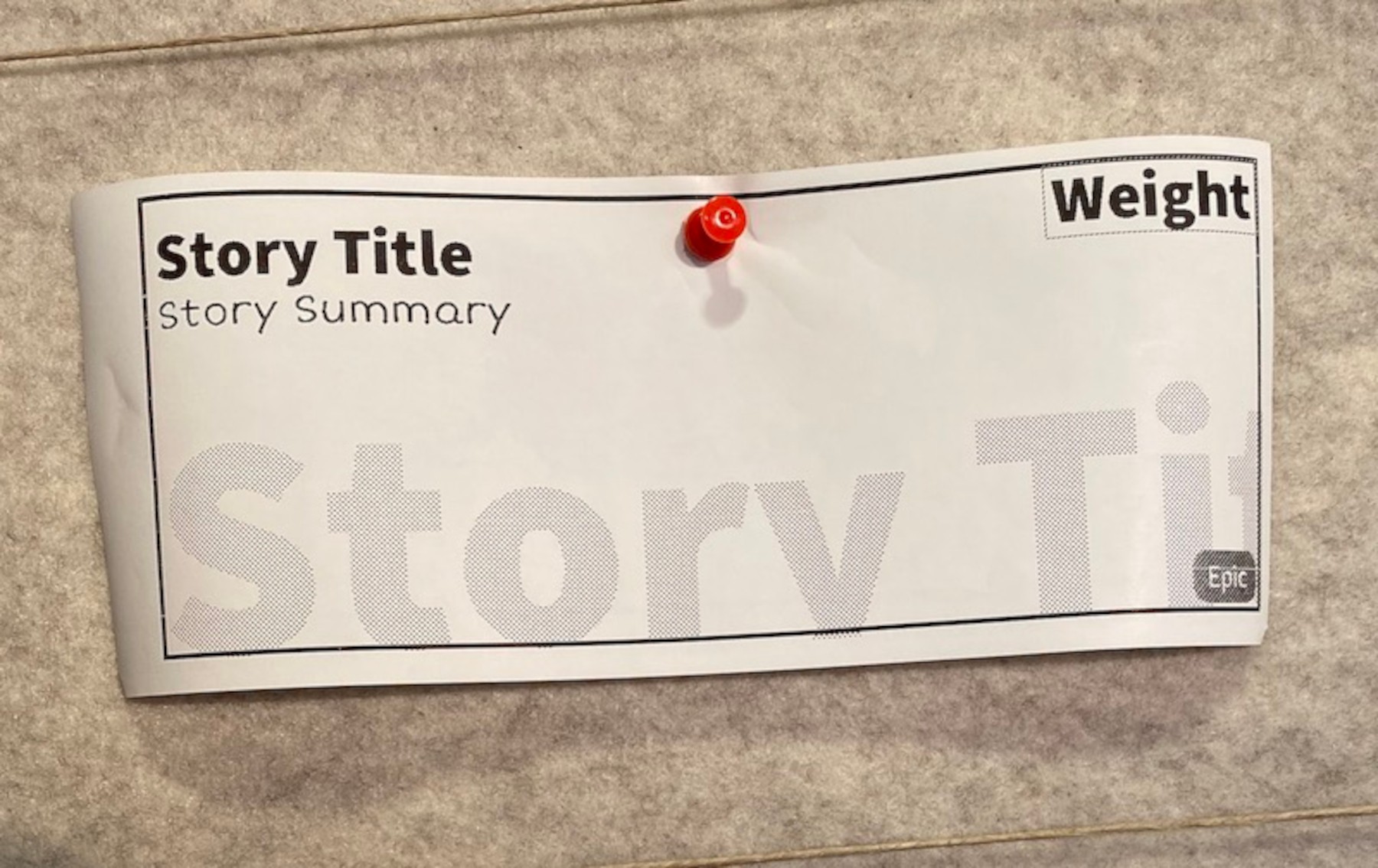
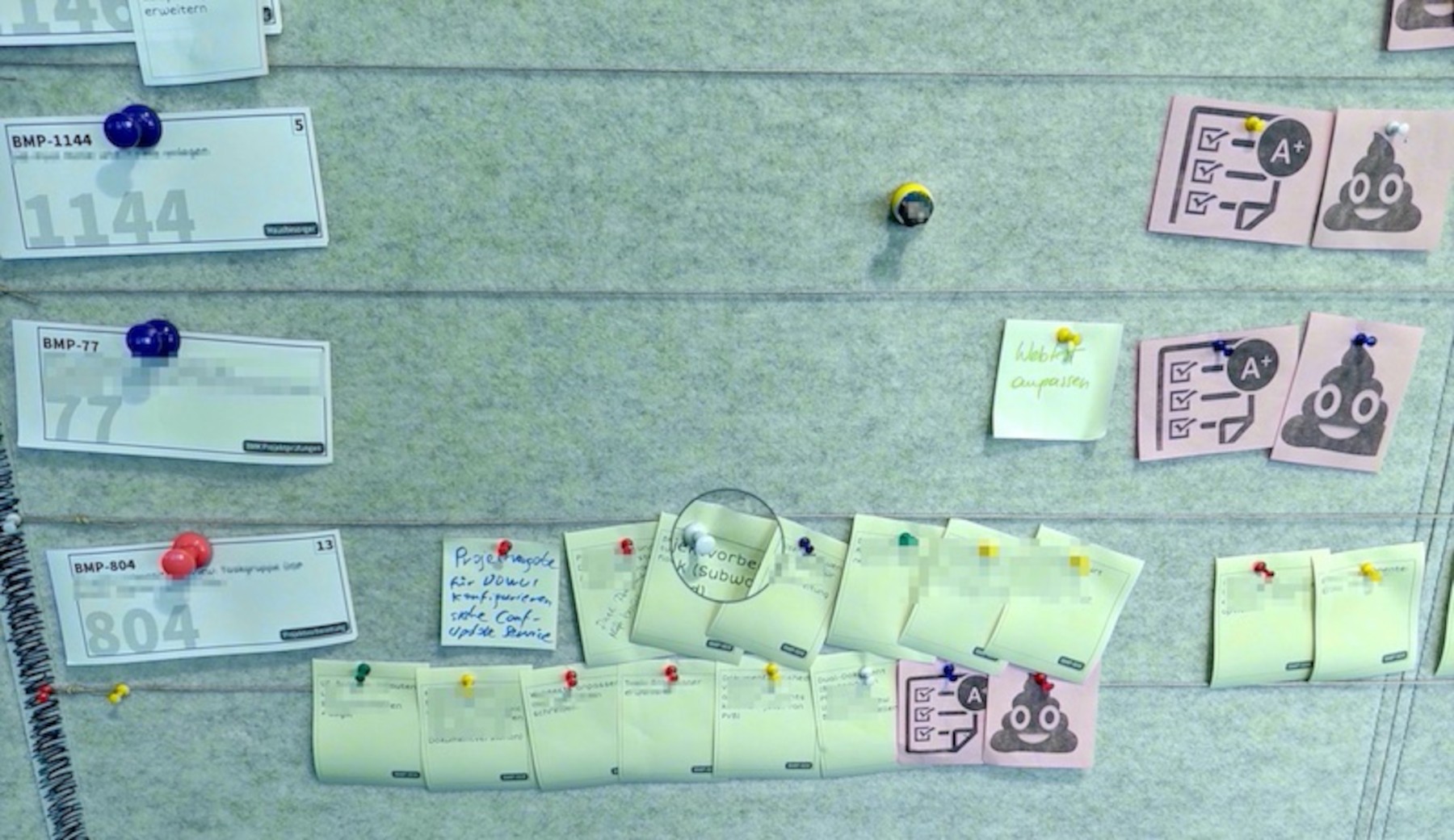
Example of an agile board printed with Possy.
How Possy is Structured
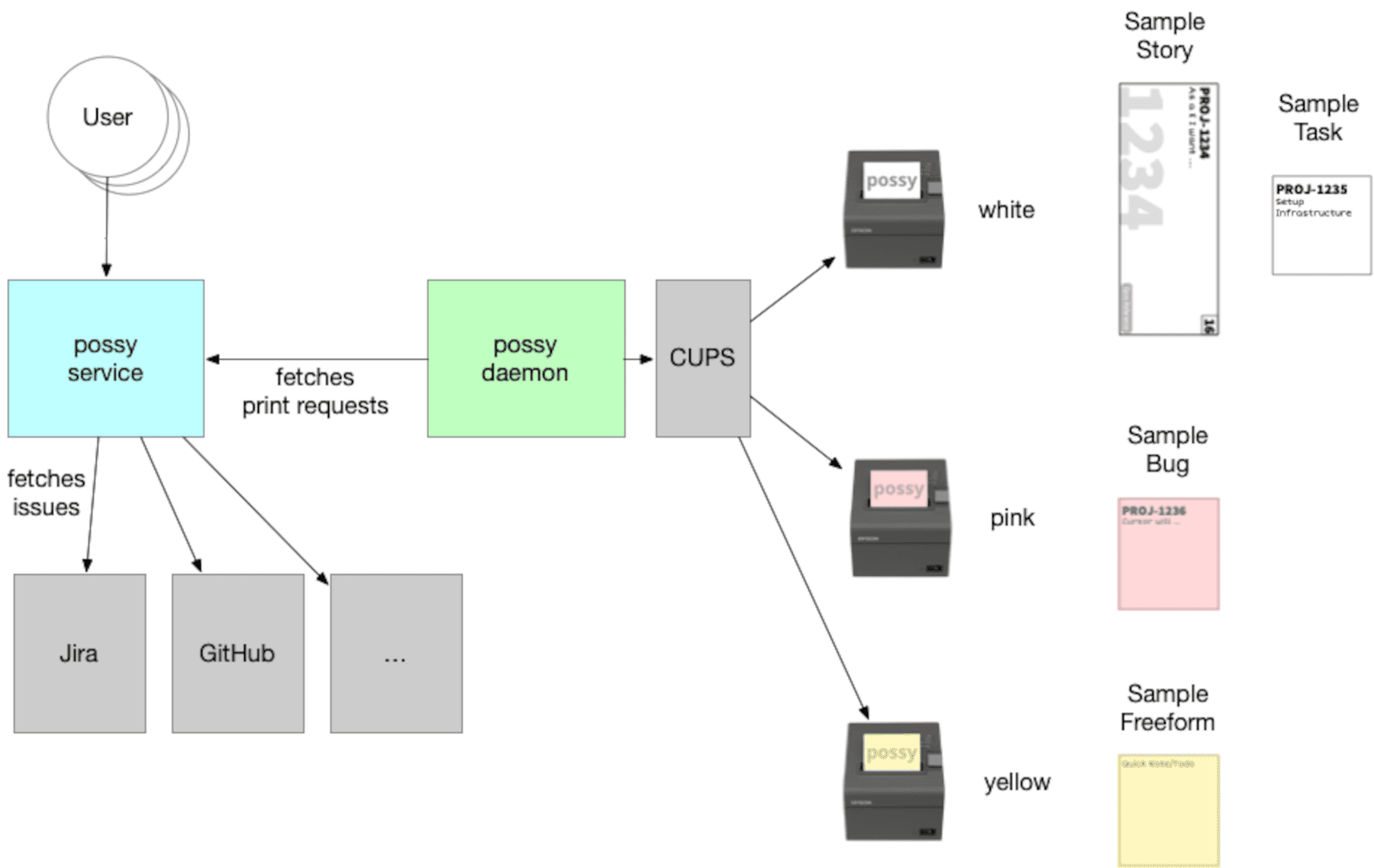
Possy essentially consists of two main modules: the Possy Service and the Possy Daemon.
Possy Service
This is the web interface (built with Vaadin), through which the user interacts with the tool. The service communicates with the issue tracker and generates print jobs that are then passed on.
Possy Daemon
This part is responsible for the actual printing. It receives the print jobs and connects to one or more POS printers via CUPS. Multiple printers can also be supported at the same time – for example, to print in different colors.
The entire project is developed in Kotlin, a modern, JVM-based language.
A typical architecture looks like this:
The service runs in the network from which the printers are not directly reachable.
The daemon runs where the printers are and “pulls” the print jobs from the service.
This allows you to serve separate network zones – for example, if security or infrastructure requirements necessitate it.
Bonus Feature: The Planner
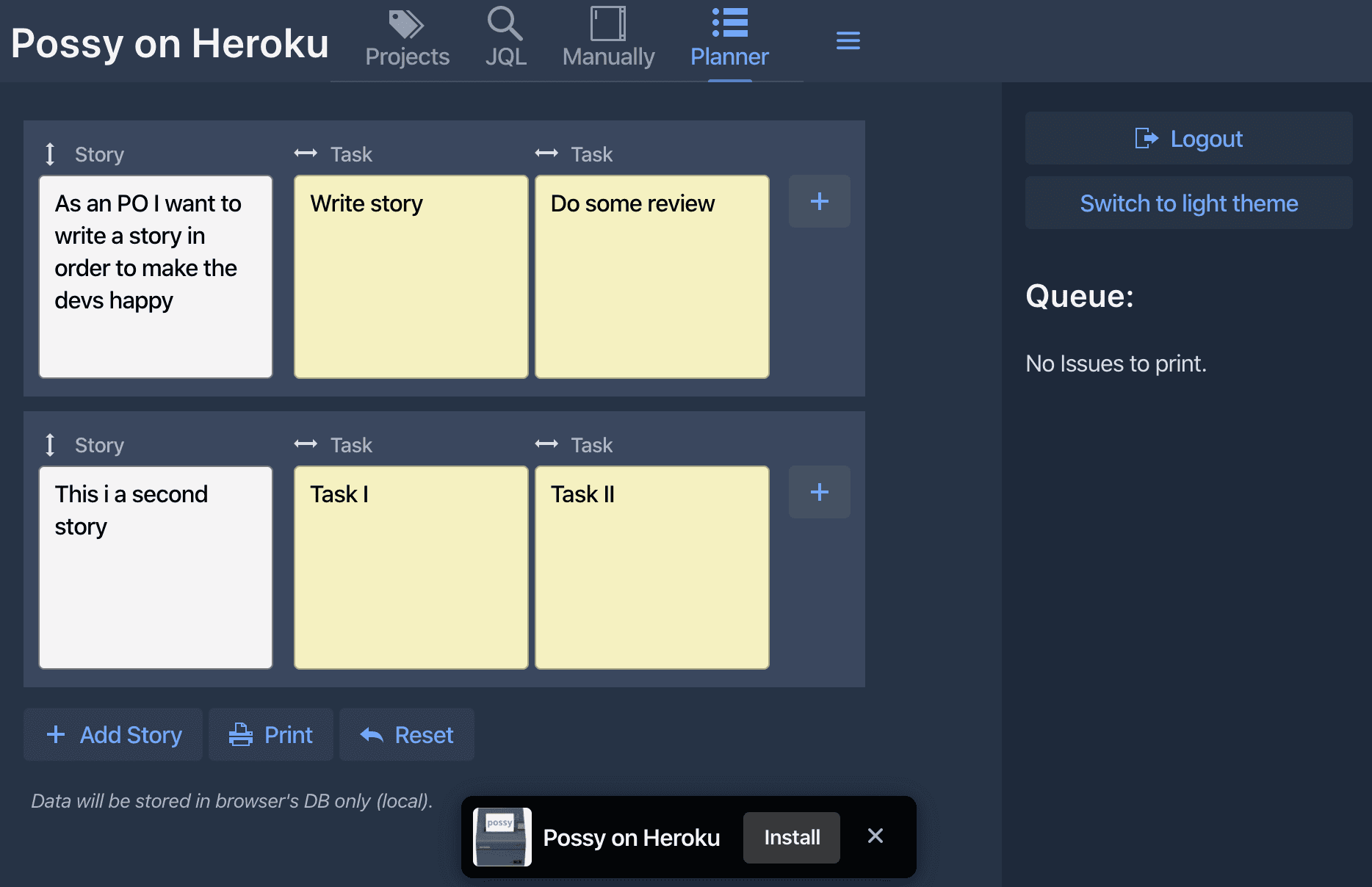
Possy also has a practical feature called Planner. It is usually used during planning meetings to define and print several story subtasks directly. With one click, all tasks are printed in the desired order.
If you have questions or wish for certain features, feel free to open issues on GitHub – the team appreciates feedback! 😀